Customer side
- Select PayPo as the payment method.
- Review availability and terms presented by PayPo.
- Complete the journey and return to your shop.
Let customers complete a purchase today and settle with PayPo later. PayPo presents the availability and payment terms to the customer.

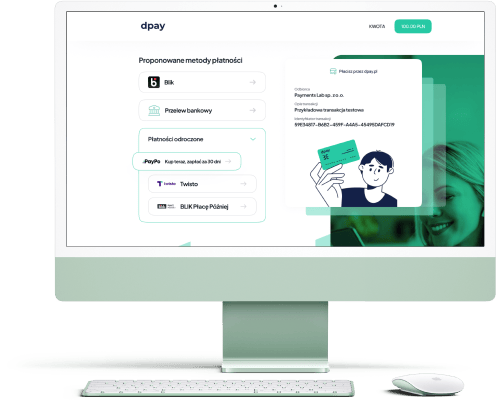
On the dpay payment page
The customer selects the method and returns to your shop after confirmation.
PayPo checks availability and presents the terms to the customer. Your shop receives the payment result through dpay.
Available on the dpay payment page
PayPo can appear alongside BLIK, cards, online bank transfers and other payment methods.
Journey handled by PayPo
The customer continues to PayPo, where availability is checked and the terms for their purchase are presented.
A clear result for the shop
Once the journey is complete, dpay returns the payment result so your shop can process the order.
Payment journey

Step 01
The customer selects PayPo on the dpay payment page.

Step 02
PayPo checks availability and shows the customer the deferred-payment terms.

Step 03
The customer returns to the shop and dpay sends the information needed to process the order.
One journey, clear roles
Customer side
Your business side
dpay pricing
Rates are maintained in one current source. Check the dpay price list before enabling the method.
More ways to pay
Tell us where you sell and how you handle payments today. Our reply will say whether PayPo is available for your account and list the activation steps.
Get started with dpay
Create an account and complete verification. If you need help, our team is ready to answer your questions.
Start accepting paymentsOne integration
Popular payment methods