Add PayPal to your dpay payment page
The customer confirms the purchase with PayPal and returns to your shop. dpay charges PLN 0.10 for processing, PayPal applies its own fees, and the funds go directly to your PayPal Business account.
- PLN 0.10 dpay processing fee
- PayPal fees charged separately
- Funds go directly to PayPal
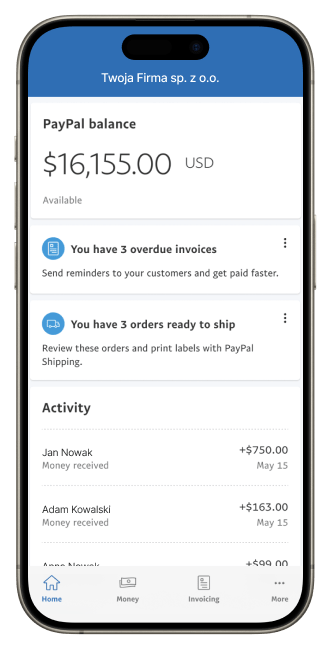
PayPal connected to dpay
dpay displays PayPal on the payment page and handles the technical transaction flow. We do not receive or settle PayPal funds.
Direct settlement with PayPal
The payer's funds go directly to your PayPal account through PayPal. dpay does not act as an intermediary in the payment flow.

One payment page
PayPal can appear alongside the other payment methods available in your dpay gateway.

Connect your account
Once your PayPal Business account is connected and verified, the method will appear in your gateway.
Payment process
How does a customer pay with PayPal?

Step 01
Select PayPal
The customer selects PayPal on the dpay payment page.

Step 02
Sign in
They continue to PayPal, sign in and choose a payment source saved to their account.

Step 03
Confirm the purchase
They confirm the payment with PayPal and then return to your shop.
FAQ
Frequently asked questions
How does PayPal work on the dpay payment page?
Does the merchant need a PayPal Business account?
Where do funds from PayPal payments go?
What fees apply to PayPal payments?
Can PayPal be offered alongside other payment methods?
dpay pricing
PLN 0.10 dpay processing fee. PayPal fees charged separately.
dpay provides the technical integration and does not participate in the flow of funds. PayPal settles the payment directly and applies its own fees under your PayPal Business agreement.
More ways to pay
Add the methods your customers are looking for


Connect PayPal Business to dpay.
dpay provides the technical connection. Funds go directly to PayPal, and PayPal fees remain subject to your agreement with PayPal.
- PLN 0.10 dpay processing fee
- PayPal charges its own fees
- dpay does not handle the funds
Get started with dpay
Start accepting payments in your business
Create an account and complete verification. If you need help, our team is ready to answer your questions.
Start accepting paymentsOne integration
Popular payment methods