Messages that reach customers on time.
Send alerts, codes, order updates and SMS campaigns from the panel, after importing a contact list or automatically from your own system.
- API and panel sending
- Your own sender name
- Pre-paid or post-paid billing
18:36
Text message
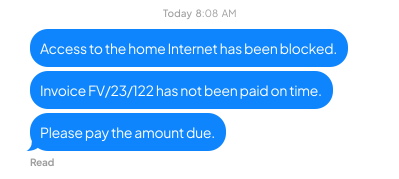
Today, 18:36
iMessage
What you gain
Everything you need to know
Launch SMS communication without signing separate agreements with multiple providers.
Fast communication
Messages arrive within seconds, including larger sends.
Simple pricing
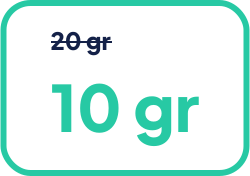
You pay for messages sent. Current rates for each volume tier are always available in the dpay price list.
Your own sender name
Set a recognisable sender name, such as your company name.

Example uses
See where business SMS can help
One-time codes
Confirm sign-ins, agreement signatures or other important actions with a one-time code.
Important updates
Send time-sensitive information to customers in a short SMS message.
18:36
Text message
Today, 18:36
iMessage
Marketing
Send offer and product updates to customers who have given the required consent.
Order updates
Share an order status, delivery date or link to a purchased digital product.
Integration options
Choose how to send messages

Step 01
API integration
Send SMS messages through the API and automate customer communication in your business.

Step 02
Contact list import
Import a recipient list and schedule a larger send without building an integration.

Step 03
SMS gateway
Send individual messages directly from the dpay panel.
dpay pricing
How much does business SMS cost?
The rate depends on monthly volume and the selected sender name. Current net rates are listed in the SMS service fee table.
FAQ
Frequently asked questions
How do I launch SMS sending?
How is SMS sending billed?
Can SMS sending be automated?
More ways to pay
Add the methods your customers are looking for
Start sending SMS messages from your business.
Tell us whether you want to send individual messages, import a contact list or connect SMS to your own system.
- API connection
- Import a recipient list
- Custom or shared sender name
Get started with dpay
Start accepting payments in your business
Create an account and complete verification. If you need help, our team is ready to answer your questions.
Start accepting paymentsOne integration
Popular payment methods